We provide a digital service for our patients in partnership with Patients Know Best (PKB).
As a patient, you can sign up to PKB to view your outpatient appointments, hospital letters, and some test results in real time, securely and online.
Using PKB is optional. You do not have to use it if you do not want to. If you choose not to use it, you do not need to do anything.
If you would like to use PKB, signing up is free and secure. Once you have activated your account, you will receive your outpatient appointment letters through PKB instead of by post. If you do not open the letter and read it within three days via PKB, we will also post a paper copy.
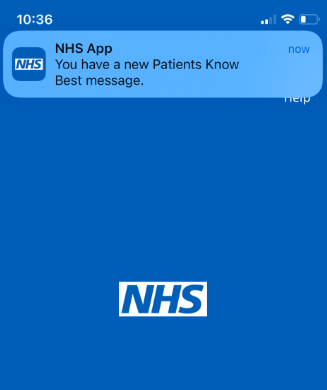
Once registered, you can also link your account to the NHS App to receive notifications about when your PKB record is updated. This means you will receive real-time notifications to your phone if an appointment is booked or changed.
All your data is stored securely, and the service is free for our patients and easy to use. Simply log in from your smartphone, tablet, or computer.
When you are registered on our hospital computer system, you will receive an email from the Trust and PKB asking you to register for the digital service if you'd like to. There will be a link in the email for you to register.
We also send invites to patients in our appointment letters. These invites contain a personalised link for you to activate your account.
If you have received a letter from us inviting you to sign up for the service, please follow the instructions on the letter. Alternatively, you can simply register on the PKB website.
Once on the PKB website, click 'login using NHS login'
When you are logged in, the registration page (powered by Patients Know Best) will appear, and you will be prompted to create a password.
Once you've signed up to Patients Know Best, you can link your account to the NHS App. This means you'll be able to receive notifications via the NHS App and securely access your outpatient letters, details about your hospital appointments, and a range of test results electronically.
Some patients find this easier as the app is on your phone, and you can use the facial recognition or fingerprint ID systems on your phone to securely and quickly access the information.
The NHS App allows you to access a range of information about your health care services in one place.
You will receive an email from PKB to let you know that your record has been updated. You can then log into your account via the PKB website or the NHS App if you have already linked your account.
If you have linked your account to the NHS App, you can receive notifications on your smartphone from the NHS App when there are new messages in PKB.
You will receive these notifications for new activity in the 'Events and messages' section, which includes messages from healthcare professionals, new documents, and information on hospital visits and consultations.
You can read your messages from within the NHS App by tapping on the notification.
If you no longer wish to have access to your appointment dates and times, test results, and electronic correspondence, please complete the form below.
We will contact the PKB support team, who can remove your email from your account. This means that you will no longer receive email notifications about changes to your record, and you will no longer be able to log into your account.
Please include your name, address, date of birth, and NHS number if you have it. It may take a short while to update the computer system after we've received your request.